


Description
Introduction
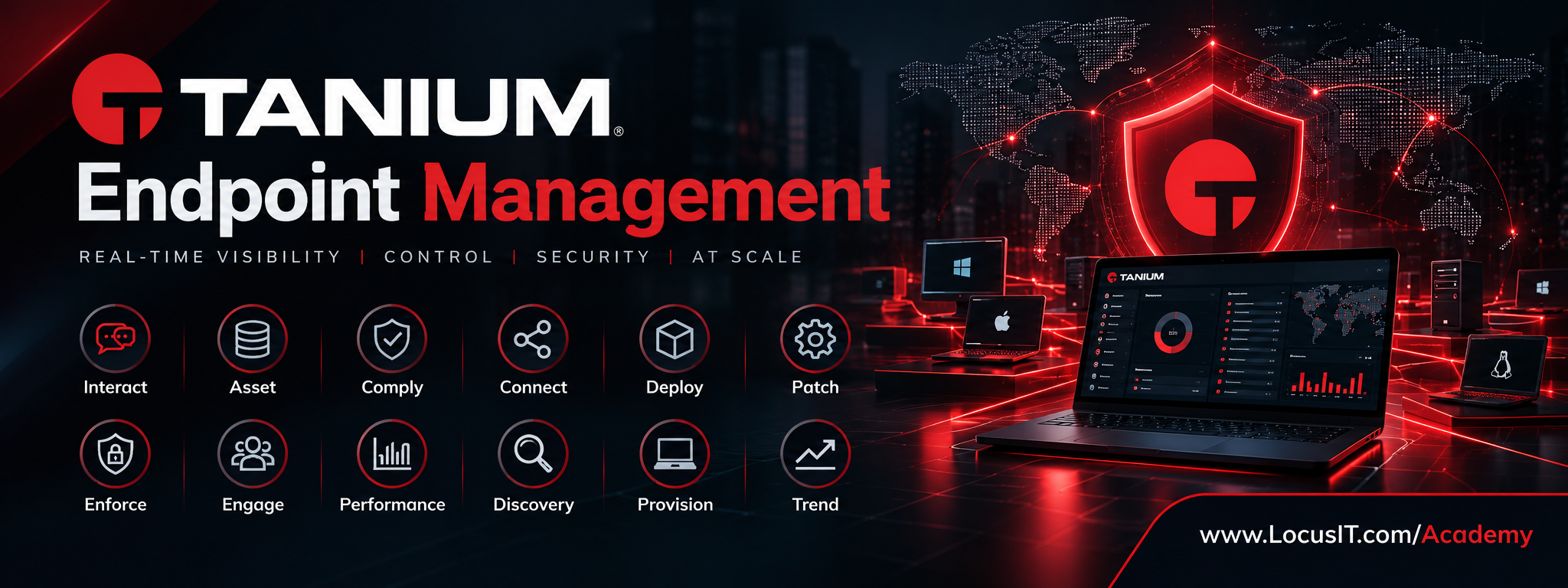
Tanium Endpoint Management is an enterprise endpoint management and security platform designed to provide organizations with real-time visibility, control, and management of endpoint devices across distributed environments. The training provides practical knowledge of the Tanium platform and its major solution areas, including endpoint querying, asset inventory, compliance, connectivity, software deployment, patch management, policy enforcement, employee engagement, performance monitoring, discovery, provisioning, and trend analysis.
Participants will learn how to use Tanium to discover and manage endpoints, collect real-time endpoint information, assess compliance, deploy software and patches, enforce security policies, monitor endpoint performance, and generate actionable operational insights.
The training combines platform concepts, solution-specific configuration, administrative workflows, troubleshooting, reporting, and hands-on laboratory exercises.
Prerequisites
Participants should ideally have:
- Basic understanding of enterprise IT infrastructure and endpoint management.
- Familiarity with Windows and Linux operating systems.
- Basic knowledge of networking concepts such as IP addresses, DNS, TCP/IP, and ports.
- Understanding of enterprise applications and software deployment concepts.
- Basic knowledge of system administration and endpoint security.
- Familiarity with patch management and vulnerability management concepts.
- Basic understanding of IT asset inventory and configuration management.
- Experience working with browsers and web-based enterprise administration consoles.
- Basic understanding of scripting concepts is beneficial but not mandatory.
- Prior Tanium experience is not mandatory.
Training Duration
Recommended Duration: 40 Hours
Suggested Delivery Model:
- 20 sessions × 2 hours
- Monday–Friday
- Instructor-led theory and demonstrations
- Hands-on laboratory exercises
- Configuration and troubleshooting scenarios
- End-to-end administration exercises
Table of Contents
Module 1. Tanium Platform Fundamentals
1.1 Tanium Overview
1.1.1 Introduction to Tanium
1.1.2 Tanium platform architecture
1.1.3 Tanium Client and endpoint architecture
1.1.4 Tanium Server components
1.1.5 Tanium Console
1.1.6 Tanium databases and data flow
1.1.7 Tanium Zones and network architecture
1.1.8 Cloud and on-premises deployment models
1.2 Tanium Administration
1.2.1 Tanium Console navigation
1.2.2 User accounts and authentication
1.2.3 Roles and permissions
1.2.4 RBAC concepts
1.2.5 Content sets and administration
1.2.6 Computer groups
1.2.7 Saved questions and dashboards
1.2.8 Administrative best practices
1.3 Endpoint Communication
1.3.1 Tanium Client communication
1.3.2 Linear chain architecture
1.3.3 Endpoint-to-endpoint communication
1.3.4 Client registration
1.3.5 Client health and status
1.3.6 Troubleshooting endpoint communication
Module 2. Tanium Interact
2.1 Interact Overview
2.1.1 Purpose of Tanium Interact
2.1.2 Real-time endpoint visibility
2.1.3 Questions and actions
2.1.4 Natural language interaction
2.1.5 Interact workflows
2.2 Tanium Questions
2.2.1 Asking questions
2.2.2 Sensor concepts
2.2.3 Question syntax
2.2.4 Question targeting
2.2.5 Question results
2.2.6 Result interpretation
2.3 Advanced Queries
2.3.1 Combining sensors
2.3.2 Filtering endpoint results
2.3.3 Boolean operators
2.3.4 Query optimization
2.3.5 Saved questions
2.3.6 Reusable query design
2.4 Tanium Actions
2.4.1 Action concepts
2.4.2 Targeting endpoints
2.4.3 Deploying actions
2.4.4 Action approval
2.4.5 Action monitoring
2.4.6 Action troubleshooting
Module 3. Tanium Asset
3.1 Asset Management Fundamentals
3.1.1 Asset management concepts
3.1.2 Hardware inventory
3.1.3 Software inventory
3.1.4 Endpoint identification
3.1.5 Asset lifecycle
3.2 Asset Discovery and Inventory
3.2.1 Hardware attributes
3.2.2 Operating system inventory
3.2.3 Installed software
3.2.4 Application versions
3.2.5 Network information
3.2.6 User information
3.3 Asset Data Management
3.3.1 Asset data collection
3.3.2 Data normalization
3.3.3 Asset relationships
3.3.4 Duplicate asset handling
3.3.5 Asset reporting
3.4 Asset Reporting
3.4.1 Asset dashboards
3.4.2 Inventory reports
3.4.3 Custom asset reports
3.4.4 Exporting asset information
3.4.5 Asset management use cases
Module 4. Tanium Comply
4.1 Compliance Management
4.1.1 Compliance concepts
4.1.2 Configuration compliance
4.1.3 Security benchmarks
4.1.4 Compliance assessment
4.1.5 Compliance workflows
4.2 Compliance Policies
4.2.1 Policy configuration
4.2.2 Compliance checks
4.2.3 Assessment criteria
4.2.4 Policy assignment
4.2.5 Compliance exceptions
4.3 Compliance Monitoring
4.3.1 Real-time compliance status
4.3.2 Compliance dashboards
4.3.3 Non-compliant endpoint identification
4.3.4 Remediation workflows
4.3.5 Compliance reporting
Module 5. Tanium Connect
5.1 Tanium Connect Fundamentals
5.1.1 Purpose of Tanium Connect
5.1.2 Data integration concepts
5.1.3 Sources and destinations
5.1.4 Connection architecture
5.1.5 Integration workflows
5.2 Data Connections
5.2.1 Selecting Tanium data sources
5.2.2 Configuring data filters
5.2.3 Data transformation
5.2.4 Scheduling data transfers
5.2.5 Connection monitoring
5.3 External Integrations
5.3.1 SIEM integration
5.3.2 ITSM integration
5.3.3 Data warehouse integration
5.3.4 Security platform integration
5.3.5 API-based integrations
Module 6. Tanium Deploy
6.1 Software Deployment
6.1.1 Tanium Deploy overview
6.1.2 Application deployment concepts
6.1.3 Package management
6.1.4 Deployment requirements
6.1.5 Deployment targeting
6.2 Application Packages
6.2.1 Creating application packages
6.2.2 Installation commands
6.2.3 Uninstallation commands
6.2.4 Detection rules
6.2.5 Package dependencies
6.3 Deployment Management
6.3.1 Deployment scheduling
6.3.2 Endpoint targeting
6.3.3 Deployment status
6.3.4 Failed deployment troubleshooting
6.3.5 Deployment reporting
Module 7. Tanium Patch
7.1 Patch Management Fundamentals
7.1.1 Patch management concepts
7.1.2 Tanium Patch architecture
7.1.3 Patch applicability
7.1.4 Patch assessment
7.1.5 Patch compliance
7.2 Patch Configuration
7.2.1 Patch lists
7.2.2 Patch groups
7.2.3 Endpoint targeting
7.2.4 Patch deployment configuration
7.2.5 Maintenance windows
7.3 Patch Deployment
7.3.1 Patch deployment workflows
7.3.2 Deployment scheduling
7.3.3 Reboot management
7.3.4 Patch deployment monitoring
7.3.5 Failed patch remediation
7.4 Patch Reporting
7.4.1 Patch compliance dashboards
7.4.2 Missing patch reports
7.4.3 Deployment status reports
7.4.4 Historical patch analysis
7.4.5 Audit reporting
Module 8. Tanium Enforce
8.1 Endpoint Policy Enforcement
8.1.1 Tanium Enforce overview
8.1.2 Policy-based endpoint management
8.1.3 Endpoint protection concepts
8.1.4 Policy configuration
8.1.5 Policy targeting
8.2 Application Control
8.2.1 Application control concepts
8.2.2 Application allowlists
8.2.3 Application blocklists
8.2.4 Policy exceptions
8.2.5 Application enforcement
8.3 Device and Security Controls
8.3.1 Device control
8.3.2 Peripheral management
8.3.3 Endpoint restrictions
8.3.4 Enforcement monitoring
8.3.5 Policy troubleshooting
Module 9. Tanium Engage
9.1 Employee Engagement
9.1.1 Tanium Engage overview
9.1.2 Employee experience concepts
9.1.3 Endpoint-user interaction
9.1.4 Engagement use cases
9.1.5 User communication workflows
9.2 Engagement Campaigns
9.2.1 Campaign creation
9.2.2 Target audience selection
9.2.3 Message configuration
9.2.4 Campaign scheduling
9.2.5 Campaign monitoring
9.3 User Feedback and Analytics
9.3.1 Collecting user feedback
9.3.2 Survey concepts
9.3.3 Response analysis
9.3.4 User experience reporting
9.3.5 Engagement analytics
Module 10. Tanium Performance
10.1 Endpoint Performance Monitoring
10.1.1 Performance monitoring concepts
10.1.2 CPU utilization
10.1.3 Memory utilization
10.1.4 Disk utilization
10.1.5 Network performance
10.2 Application Performance
10.2.1 Application resource consumption
10.2.2 Application performance analysis
10.2.3 Process monitoring
10.2.4 Performance bottleneck identification
10.2.5 Application troubleshooting
10.3 Performance Analytics
10.3.1 Performance dashboards
10.3.2 Performance trends
10.3.3 Endpoint health indicators
10.3.4 Performance alerts
10.3.5 Performance reporting
Module 11. Tanium Discover
11.1 Network Discovery
11.1.1 Tanium Discover overview
11.1.2 Network discovery concepts
11.1.3 Managed and unmanaged devices
11.1.4 Device identification
11.1.5 Discovery architecture
11.2 Device Discovery
11.2.1 IP address discovery
11.2.2 MAC address identification
11.2.3 Device fingerprinting
11.2.4 Device classification
11.2.5 Unknown endpoint identification
11.3 Discovery Analysis
11.3.1 Discovery results
11.3.2 Network visibility
11.3.3 Rogue device identification
11.3.4 Discovery dashboards
11.3.5 Discovery reporting
Module 12. Tanium Provision
12.1 Endpoint Provisioning
12.1.1 Tanium Provision overview
12.1.2 Provisioning concepts
12.1.3 Endpoint deployment lifecycle
12.1.4 Provisioning requirements
12.1.5 Provisioning architecture
12.2 Operating System Deployment
12.2.1 OS deployment concepts
12.2.2 Deployment images
12.2.3 Endpoint preparation
12.2.4 OS deployment workflows
12.2.5 Deployment validation
12.3 Provisioning Management
12.3.1 Provisioning policies
12.3.2 Endpoint targeting
12.3.3 Deployment monitoring
12.3.4 Provisioning troubleshooting
12.3.5 Post-provisioning configuration
Module 13. Tanium Trend
13.1 Trend Analytics
13.1.1 Tanium Trend overview
13.1.2 Trend analysis concepts
13.1.3 Endpoint data visualization
13.1.4 Historical analysis
13.1.5 Trend identification
13.2 Dashboards and Visualizations
13.2.1 Trend dashboards
13.2.2 Data visualization
13.2.3 Metrics and KPIs
13.2.4 Filtering and drill-down
13.2.5 Custom dashboards
13.3 Operational Analytics
13.3.1 Endpoint management trends
13.3.2 Compliance trends
13.3.3 Patch trends
13.3.4 Asset trends
13.3.5 Performance trends
13.3.6 Trend-based decision support
Module 14. Tanium Administration and Automation
14.1 Platform Administration
14.1.1 Tanium administration best practices
14.1.2 User and role management
14.1.3 Content management
14.1.4 Computer groups
14.1.5 Platform health monitoring
14.2 Automation
14.2.1 Automated endpoint actions
14.2.2 Scheduled operations
14.2.3 Automated remediation
14.2.4 Workflow automation
14.2.5 Integration-based automation
14.3 API and Integration
14.3.1 Tanium API fundamentals
14.3.2 API authentication
14.3.3 Querying Tanium through APIs
14.3.4 Executing actions through APIs
14.3.5 Integration use cases
Module 15. Monitoring, Troubleshooting and Reporting
15.1 Endpoint Troubleshooting
15.1.1 Tanium Client troubleshooting
15.1.2 Endpoint communication issues
15.1.3 Failed actions
15.1.4 Failed deployments
15.1.5 Data collection issues
15.2 Platform Monitoring
15.2.1 Tanium service health
15.2.2 Client health monitoring
15.2.3 Performance monitoring
15.2.4 Capacity considerations
15.2.5 Platform troubleshooting
15.3 Reporting
15.3.1 Operational reports
15.3.2 Compliance reports
15.3.3 Asset reports
15.3.4 Patch reports
15.3.5 Executive dashboards
15.3.6 Exporting and sharing reports
Module 16. End-to-End Endpoint Management Scenarios
16.1 Endpoint Lifecycle Management
16.1.1 Endpoint discovery
16.1.2 Asset identification
16.1.3 Provisioning
16.1.4 Software deployment
16.1.5 Patch management
16.1.6 Compliance validation
16.2 Security and Compliance Scenario
16.2.1 Identifying non-compliant endpoints
16.2.2 Investigating endpoint configuration
16.2.3 Applying remediation
16.2.4 Validating compliance
16.2.5 Generating compliance reports
16.3 Enterprise Operations Scenario
16.3.1 Discovering enterprise endpoints
16.3.2 Assessing endpoint health
16.3.3 Deploying software
16.3.4 Applying patches
16.3.5 Enforcing policies
16.3.6 Monitoring performance
16.3.7 Analyzing operational trends
16.4 Capstone Lab
16.4.1 Tanium environment assessment
16.4.2 Endpoint discovery exercise
16.4.3 Asset inventory exercise
16.4.4 Compliance assessment
16.4.5 Software deployment
16.4.6 Patch deployment
16.4.7 Policy enforcement
16.4.8 Performance analysis
16.4.9 Dashboard creation
16.4.10 End-to-end troubleshooting
Lab Specifications
The hands-on environment should provide each participant with an isolated Tanium laboratory environment or dedicated tenant with appropriate administrative privileges.
Recommended Lab Environment
- Tanium Console access
- Tanium Server or approved Tanium Cloud environment
- Tanium Client installed on multiple endpoints
- Windows 10/11 virtual machines
- Windows Server virtual machines
- Linux endpoint virtual machines
- Minimum 3–5 managed endpoints per participant
- Administrative access to the Tanium environment
- Internet/network connectivity where required
- Browser supporting the Tanium Console
- Sample enterprise applications for deployment exercises
- Test software packages
- Test patch repositories or approved patch sources
- Sample compliance policies
- Test user accounts and role configurations
Hands-on Lab Requirements
Participants should be able to perform:
- Real-time endpoint queries using Interact
- Hardware and software inventory using Asset
- Compliance assessment using Comply
- Data integration using Connect
- Application deployment using Deploy
- Patch assessment and deployment using Patch
- Endpoint policy enforcement using Enforce
- Employee engagement exercises using Engage
- Endpoint performance analysis using Performance
- Network and device discovery using Discover
- Endpoint provisioning exercises using Provision
- Trend analysis and dashboard creation using Trend
- Endpoint troubleshooting and remediation
- Reporting and operational dashboard creation
Recommended Lab Topology
                    Tanium Platform
                          |
                 +--------+--------+
                 |                 |
          Tanium Console      Tanium Services
                 |
        +--------+--------+
        |        |        |
     Windows   Windows   Linux
     Client    Server    Client
        |        |        |
        +--------+--------+
                 |
        Endpoint Management
                 |
   +------+------+------+------+------+
   |      |      |      |      |      |
 Asset  Deploy  Patch Comply Enforce Discover
   |      |      |      |      |      |
   +------+------+------+------+------+
                 |
        Reporting & Analytics
          Connect / Trend
Lab Deliverables
At the end of the training, participants should be able to complete an end-to-end endpoint management exercise covering discovery → inventory → assessment → deployment → patching → enforcement → monitoring → reporting, using the major Tanium solution areas.

Reviews
There are no reviews yet.