


Description
Introduction
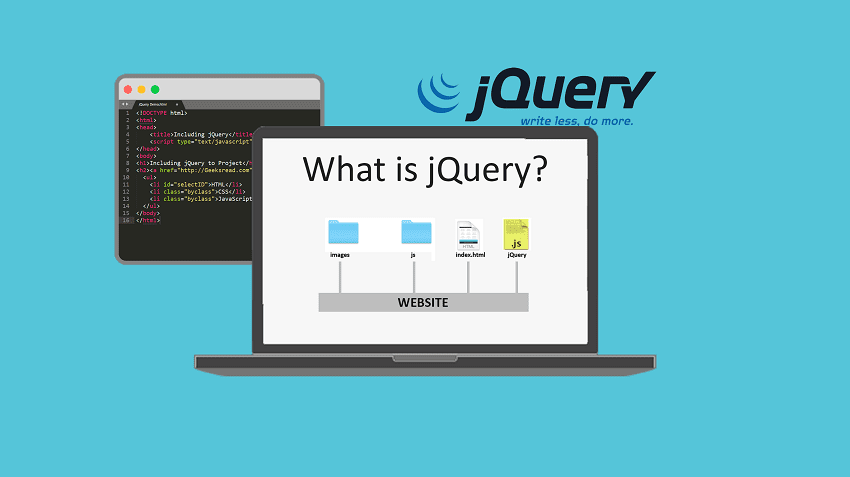
jQuery is a fast and lightweight JavaScript library for client-side web development. It simplifies HTML traversal, event handling, animations, and Ajax interactions. As a result, developers can write less code and complete tasks faster. In addition, it improves development efficiency across projects. Moreover, jQuery ensures cross-browser compatibility. Therefore, web applications become more consistent and reliable. Overall, it helps developers build dynamic and interactive web pages with ease.
Learner Prerequisites
Basic understanding of HTML and CSS
Fundamental knowledge of JavaScript programming
Familiarity with web page structure and DOM concepts
Basic awareness of browser behavior and web development tools
However, prior experience with jQuery is not required
Table of Contents
1. Introduction to jQuery
1.1 Overview of jQuery and Its Purpose
1.2 Advantages of Using jQuery in Web Development
1.3 jQuery vs JavaScript Comparison
1.4 jQuery Library Structure and Syntax Basics
1.5 Setting Up jQuery in a Project
1.6 Real-World Use Cases of jQuery
2. jQuery Basics and Syntax
2.1 Understanding jQuery Selectors
2.2 jQuery Syntax Structure
2.3 Working with Document Ready Function
2.4 Selecting HTML Elements
2.5 Chaining Methods in jQuery
2.6 Basic Coding Examples
3. DOM Manipulation with jQuery
3.1 Introduction to DOM Manipulation
3.2 Changing HTML Content
3.3 Modifying CSS Styles
3.4 Adding and Removing Elements
3.5 Traversing the DOM Tree
3.6 Best Practices for DOM Handling
4. Event Handling in jQuery
4.1 Understanding Events in jQuery
4.2 Click and Mouse Events
4.3 Keyboard Event Handling
4.4 Form Events and Validation Triggers
4.5 Event Binding and Unbinding
4.6 Delegated Event Handling
5. Effects and Animations
5.1 Introduction to jQuery Effects
5.2 Show, Hide, and Toggle Functions
5.3 Fade Effects Implementation
5.4 Sliding Animations
5.5 Custom Animations Using Animate Method
5.6 Controlling Animation Speed and Queue
6. jQuery Ajax Operations
6.1 Introduction to Ajax in jQuery
6.2 Load Method for External Content
6.3 GET and POST Requests
6.4 Handling JSON Data
6.5 Error Handling in Ajax Calls
6.6 Real-Time Data Loading Examples
7. jQuery Plugins and Extensions
7.1 Understanding jQuery Plugins
7.2 Installing and Using Plugins
7.3 Popular jQuery Plugins Overview
7.4 Creating Custom Plugins
7.5 Plugin Configuration and Options
7.6 Extending jQuery Functionality
8. Form Handling and Validation
8.1 Working with HTML Forms
8.2 Input Field Manipulation
8.3 Basic Form Validation Techniques
8.4 Real-Time Validation Using jQuery
8.5 Error Display and Messaging
8.6 Improving User Input Experience
9. Advanced jQuery Techniques
9.1 Working with Data Attributes
9.2 Deferred and Promises in jQuery
9.3 Advanced Event Handling Techniques
9.4 Optimizing jQuery Code Performance
9.5 Working with JSON and APIs
9.6 Debugging jQuery Applications
10. jQuery UI Integration
10.1 Introduction to jQuery UI
10.2 Widgets and Components Overview
10.3 Drag and Drop Functionality
10.4 Accordion and Tabs Implementation
10.5 Datepicker and Dialog Boxes
10.6 Customizing UI Components
11. Performance Optimization in jQuery
11.1 Writing Efficient jQuery Code
11.2 Reducing DOM Manipulation
11.3 Optimizing Selectors
11.4 Minimizing Script Execution Time
11.5 Caching jQuery Objects
11.6 Best Practices for Performance
12. Modern Alternatives and Migration
12.1 Limitations of jQuery in Modern Development
12.2 Introduction to Modern JavaScript (ES6+)
12.3 Comparing jQuery with Frameworks
12.4 Migration Strategies from jQuery
12.5 Hybrid Usage in Projects
12.6 Future of jQuery in Web Development
Conclusion
This training provides a complete understanding of jQuery and its core concepts. As a result, learners can simplify JavaScript tasks more efficiently. In addition, they can build dynamic and interactive web pages with ease. Moreover, they can enhance user experience using animations and Ajax. Therefore, learning jQuery supports faster, smoother, and more efficient web development.

Reviews
There are no reviews yet.