


Description
1. Introduction
Appian Platform Training is a low-code platform for building business applications. It also helps companies automate daily tasks and work processes.
Today, many companies use digital tools to save time. They also use them to reduce manual work. Appian helps meet these needs through one platform.
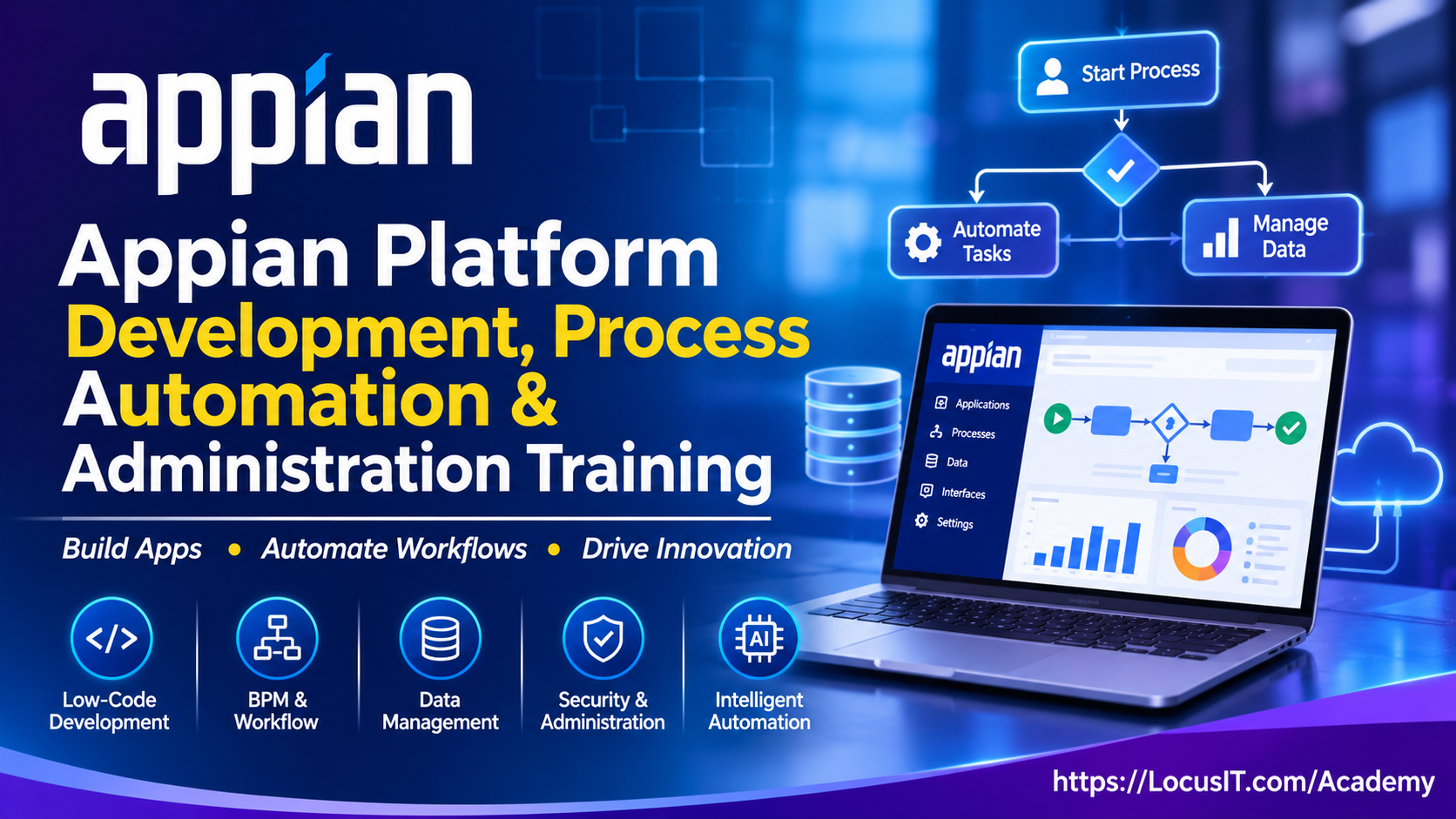
This training teaches you how to build apps with Appian. You will also learn how to create workflows and manage business data.
First, you will learn the basics of the platform. Next, you will work with app design, process models and data. You will also learn about APIs, security and app deployment.
Finally, you will complete practical tasks and real-world projects. These activities will help you use Appian in business settings.
2. What is Appian Platform Training?
Appian Platform Training is a low-code platform for building business apps. It helps teams manage tasks, data and work processes.Developers can use visual tools to build apps. They do not need to write large amounts of code for every task.
In addition, Appian can connect with other business systems. This helps teams share data and manage work in one place.
3.Architecture and Fundamentals
Appian has several parts that work together. These parts help users build and manage business apps.First, developers create apps in Appian Designer. Next, they add screens, rules, data and workflows.The platform then connects these parts to support business tasks.
- Appian Designer
- Applications and design objects
- Process models
- SAIL interfaces
- Expression rules
- Decision rules
- Record types
- Data Fabric
- Connected systems
- User roles and security
4. Appian Installation and Configuration
Appian offers cloud and self-managed options. The setup process depends on the option used by the company.In this module, participants learn how to access and set up an Appian environment.
Environment Setup
- Appian Cloud basics
- Self-managed environment basics
- System needs and setup
- Appian Designer access
- Development environment setup
Platform Configuration
- App creation and setup
- User and group setup
- Database connections
- Login and access settings
- System connections
- Environment settings
- Test and live environments
- Basic system checks
Participants will also learn basic support tasks. In addition, they will explore ways to find and fix common setup issues.
5. Who Should Attend Training?
This course is useful for people who work with apps and business processes.It is also suitable for teams that want to learn low-code development.
- Appian Developers
- BPM Developers
- Software Developers
- Business Analysts
- Process Analysts
- Application Architects
- Solution Architects
- Technical Consultants
- System Administrators
- IT Support Engineers
- Project Managers
- Automation Professionals
Both new and experienced professionals can attend. However, the course level should match their work experience.
6. What Skills Will You Learn?
This course helps participants build useful Appian skills. They will learn how to create apps and manage business tasks.
App Development Skills
- Use Appian Designer.
- Create and manage apps.
- Build screens with SAIL.
- Create expression rules.
- Use business rules.
- Design simple user forms.
Workflow Skills
- Build process models.
- Create business workflows.
- Set up user tasks.
- Add process steps and conditions.
- Manage workflow data.
- Track and fix process issues.
Data and Integration Skills
- Create record types.
- Work with Appian Data Fabric.
- Connect to databases.
- Use REST APIs.
- Work with JSON data.
- Connect external systems.
Security and Admin Skills
- Set up user roles.
- Manage groups and access.
- Protect app data.
- Test applications.
- Check app performance.
- Move apps between environments.
In addition, participants will complete practical tasks. These tasks will help them use their new skills.
7. Appian Platform Training Prerequisites
Appian Platform Training Basic Knowledge
- Basic computer skills
- Basic software knowledge
- Database fundamentals
- Basic SQL knowledge
- Web application basics
- Business process knowledge
Helpful Skills
- Basic programming knowledge
- REST API basics
- JSON fundamentals
- Database connections
- Application development
However, beginners do not need prior Appian experience. They can start with the basic modules and move to advanced topics.
8. Estimated Duration and Training Format
The course length depends on the learning level. It also depends on the skills participants want to gain.
1. Beginner Level – 24 to 30 Hours
2. Intermediate Level – 30 to 40 Hours
3. Advanced Level – 40 to 50 Hours
4. Enterprise Level – 50 to 60 Hours
9. Training Lab Setup Specifications
Participants need a suitable computer and internet connection. They also need access to an Appian training environment.
Software Requirements
- Appian Cloud or approved development environment
- Google Chrome or Microsoft Edge
- Appian Designer access
- Database or approved data source
- Postman for API testing
- SQL tools, where needed
- JSON or code editor
Hardware Requirements
- Processor: Intel Core i5 or similar
- RAM: 8 GB minimum
- Recommended RAM: 16 GB
- Storage: 20 GB free space
- Operating System: Windows 10/11, macOS or supported Linux
- Internet: Stable broadband connection
- Display: Full HD screen recommended
Other Requirements
- Valid Appian login details
- App development access
- Sample data for practice
- Access to required test systems
Note: Actual needs depend on the Appian setup and training environment.
10. TABLE OF CONTENTS
Module 1: Appian Platform Training Fundamentals and Architecture
1.1 Introduction to Appian Platform Training
1.1.1 Overview of Appian
1.1.2 Evolution of Low-Code Development
1.1.3 Appian Features and Business Applications
1.2 Appian Architecture
1.2.1 Appian Platform Architecture
1.2.2 Core Platform Components
1.2.3 Application Architecture and Design
1.3 Appian Designer and Development Environment
1.3.1 Appian Designer Overview
1.3.2 Applications and Design Objects
1.3.3 Development Environment Navigation
1.4 Appian Application Lifecycle
1.4.1 Application Development Stages
1.4.2 Application Maintenance
1.4.3 Development Best Practices
1.5 Practical Exercise
1.5.1 Exploring Appian Designer
1.5.2 Creating a Sample Application
Module 2: Appian Platform Training Environment Setup and Configuration
2.1 Appian Environment Fundamentals
2.1.1 Appian Cloud Overview
2.1.2 Self-Managed Environment Basics
2.1.3 System Requirements
2.2 Appian Environment Setup
2.2.1 Appian Designer Access
2.2.2 Development Environment Preparation
2.2.3 Environment Configuration
2.3 Application and User Configuration
2.3.1 Application Creation
2.3.2 User and Group Management
2.3.3 Role and Permission Setup
2.4 Database and System Configuration
2.4.1 Database Connectivity
2.4.2 System Connections
2.4.3 Environment Management
2.5 Practical Exercise
2.5.1 Creating an Appian Application
2.5.2 Configuring Users and Environments
Module 3: Appian Application Development and SAIL Interfaces
3.1 Appian Application Development
3.1.1 Application Development Fundamentals
3.1.2 Application Objects
3.1.3 Reusable Application Components
3.2 SAIL Interface Development
3.2.1 Introduction to SAIL
3.2.2 SAIL Expression Language
3.2.3 Interface Components and Layouts
3.3 Forms and Interactive Interfaces
3.3.1 Form Development
3.3.2 Grids and Data Views
3.3.3 User Input Components
3.4 Interface Rules and Variables
3.4.1 Rule Inputs
3.4.2 Local Variables
3.4.3 Interface Validation
3.5 Advanced Interface Development
3.5.1 Responsive Interface Design
3.5.2 Reusable Interface Components
3.5.3 Interface Design Best Practices
3.6 Practical Exercise
3.6.1 Building an Interactive Interface
3.6.2 Developing an Application Form
Module 4: Appian Process Modeling and Workflow Automation
4.1 Business Process Management Fundamentals
4.1.1 Introduction to BPM
4.1.2 Business Process Lifecycle
4.1.3 Workflow Automation Concepts
4.2 Appian Process Model Development
4.2.1 Process Model Architecture
4.2.2 Creating Process Models
4.2.3 Process Model Configuration
4.3 Process Nodes and Activities
4.3.1 User Input Tasks
4.3.2 Script Tasks
4.3.3 Subprocesses and Activities
4.4 Workflow Logic and Management
4.4.1 Process Variables
4.4.2 Gateways and Conditional Flows
4.4.3 Workflow Data Management
4.5 Process Monitoring and Troubleshooting
4.5.1 Process Execution
4.5.2 Workflow Monitoring
4.5.3 Error Handling and Troubleshooting
4.6 Practical Exercise
4.6.1 Creating a Business Process Model
4.6.2 Building an Automated Approval Workflow
Module 5: Appian Data Management and Data Fabric
5.1 Appian Data Management Fundamentals
5.1.1 Data Types and Structures
5.1.2 Data Management Concepts
5.1.3 Data Sources
5.2 Database Connectivity and Data Modeling
5.2.1 Database Connections
5.2.2 Data Modeling
5.2.3 Data Relationships
5.3 Appian Record Management
5.3.1 Record Types
5.3.2 Record Views
5.3.3 Record Actions and Relationships
5.4 Appian Data Fabric
5.4.1 Data Fabric Fundamentals
5.4.2 Data Integration
5.4.3 Data Synchronization
5.5 Data Queries and Optimization
5.5.1 Data Queries
5.5.2 Data Filtering
5.5.3 Data Performance Optimization
5.6 Practical Exercise
5.6.1 Creating Record Types
5.6.2 Building a Data-Driven Application
Module 6: Appian Expressions, Rules and Business Logic
6.1 Appian Expression Fundamentals
6.1.1 Introduction to Expression Language
6.1.2 Expression Syntax
6.1.3 Built-In Functions
6.2 Expression Rules and Variables
6.2.1 Creating Expression Rules
6.2.2 Rule Inputs and Outputs
6.2.3 Variable Management
6.3 Decision Rules and Conditional Logic
6.3.1 Creating Decision Rules
6.3.2 Conditional Expressions
6.3.3 Business Rule Implementation
6.4 Data Transformation and Validation
6.4.1 Data Transformation
6.4.2 Input Validation
6.4.3 Error Handling
6.5 Reusable Business Logic
6.5.1 Reusable Expression Rules
6.5.2 Rule Configuration
6.5.3 Business Logic Best Practices
6.6 Practical Exercise
6.6.1 Creating Expression Rules
6.6.2 Implementing Business Logic
Module 7: Appian Integrations and External System Connectivity
7.1 Appian Integration Fundamentals
7.1.1 Introduction to Integrations
7.1.2 Integration Architecture
7.1.3 External System Connectivity
7.2 Connected Systems and Integration Objects
7.2.1 Connected Systems
7.2.2 Integration Objects
7.2.3 Connection Configuration
7.3 REST API Integration
7.3.1 REST API Fundamentals
7.3.2 HTTP Methods and Headers
7.3.3 API Requests and Responses
7.4 Authentication and Data Exchange
7.4.1 API Authentication
7.4.2 JSON Data Processing
7.4.3 External Data Exchange
7.5 Integration Testing and Troubleshooting
7.5.1 API Testing
7.5.2 Integration Error Handling
7.5.3 Connectivity Troubleshooting
7.6 Practical Exercise
7.6.1 Creating an API Integration
7.6.2 Connecting Appian with an External System
Module 8: Appian Security, Administration and Governance
8.1 Appian Security Fundamentals
8.1.1 Appian Security Architecture
8.1.2 Authentication and Authorization
8.1.3 Security Configuration
8.2 User and Access Management
8.2.1 User Roles and Groups
8.2.2 User Permissions
8.2.3 Access Control
8.3 Application and Data Security
8.3.1 Application-Level Security
8.3.2 Object-Level Security
8.3.3 Record-Level Security
8.4 Appian Platform Training Administration
8.4.1 Environment Administration
8.4.2 Application Monitoring
8.4.3 Audit Management
8.5 Security Governance and Best Practices
8.5.1 Security Policies
8.5.2 Application Governance
8.5.3 Security Maintenance
8.6 Appian Platform Training Practical Exercise
8.6.1 Configuring Application Security
8.6.2 Managing User Roles and Permissions
Module 9: Appian AI, RPA and Advanced Automation
9.1 AI-Powered Process Automation
9.1.1 Introduction to AI Automation
9.1.2 Appian AI Capabilities
9.1.3 AI-Based Business Processes
9.2 AI Integration with Appian
9.2.1 AI Service Integration
9.2.2 AI Agents Overview
9.2.3 AI-Driven Workflow Automation
9.3 Intelligent Document Processing
9.3.1 Document Processing Fundamentals
9.3.2 Document Classification
9.3.3 Data Extraction and Validation
9.4 Robotic Process Automation
9.4.1 RPA Fundamentals
9.4.2 Bot Configuration
9.4.3 Automated Task Execution
9.5 Advanced Process Automation
9.5.1 Human-in-the-Loop Workflows
9.5.2 Process Orchestration
9.5.3 Automation Strategies
9.6 Practical Exercise
9.6.1 Designing an AI-Based Workflow
9.6.2 Building an Automated Business Process
Module 10: Appian Testing, Deployment and Performance Optimization
10.1 Appian Application Testing
10.1.1 Testing Fundamentals
10.1.2 Interface Testing
10.1.3 Process Model Testing
10.2 Application Debugging and Validation
10.2.1 Application Validation
10.2.2 Debugging Techniques
10.2.3 Error Identification and Resolution
10.3 Performance Monitoring and Optimization
10.3.1 Application Performance
10.3.2 Performance Monitoring
10.3.3 Optimization Techniques
10.4 Appian Application Deployment
10.4.1 Application Packaging
10.4.2 Deployment Configuration
10.4.3 Environment Migration
10.5 Application Maintenance
10.5.1 Version Management
10.5.2 Backup and Recovery
10.5.3 Production Support
10.6 Practical Exercise
10.6.1 Testing an Appian Application
10.6.2 Deploying an Application Across Environments
Module 11: Appian Real-Time Projects and Practical Implementation
11.1 Employee Management Application
11.1.1 Employee Onboarding
11.1.2 Employee Data Management
11.1.3 Approval Workflow
11.2 Customer Request Management
11.2.1 Customer Registration
11.2.2 Request Tracking
11.2.3 Case Management
11.3 Business Approval Automation
11.3.1 Approval Process Design
11.3.2 Conditional Workflow Configuration
11.3.3 Approval Status Management
11.4 Document Management Application
11.4.1 Document Submission
11.4.2 Document Processing
11.4.3 Document Tracking
11.5 Enterprise Application Integration
11.5.1 External API Integration
11.5.2 Database Connectivity
11.5.3 Integrated Application Development
11.6 Final Project Implementation
11.6.1 End-to-End Application Development
11.6.2 Application Testing and Validation
11.6.3 Project Review and Deployment
11. Frequently Asked Questions
1. What is Appian Platform Training?
Appian training teaches you how to build apps and manage workflows. It also covers data, integrations and app security.
2. Is Appian Platform Training a low-code platform?
Yes. Appian is a low-code platform. It helps developers build apps with visual tools and less manual coding.
3. Do I need coding skills to learn Appian?
No. Beginners can start with basic IT knowledge. However, coding skills are useful for advanced topics.
4. What is SAIL in Appian?
SAIL is Appian’s interface design framework. It helps developers build interactive app screens and forms.
5. What is Appian Platform Training used for?
Companies use Appian to build apps and automate business tasks. It also helps manage cases, approvals and workflows.
12. Conclusion
Appian Platform Training helps you learn low-code app development and workflow automation. It also teaches you how to manage business data and connect external systems.During the course, you will work with Appian Designer, SAIL, process models and integrations. You will also learn about security, testing and deployment.Furthermore, practical tasks help you apply what you learn. By the end, you will have a clear understanding of Appian and its business uses.
13. Enquire Now
Want to learn Appian Training and build business applications?
Join Locus IT Academy for expert-led training and practical learning. We also offer custom training plans for corporate teams.
Visit: https://LocusIT.com/Academy
Contact Locus IT Academy to discuss your training needs and course schedule.



Reviews
There are no reviews yet.