


Description
Introduction
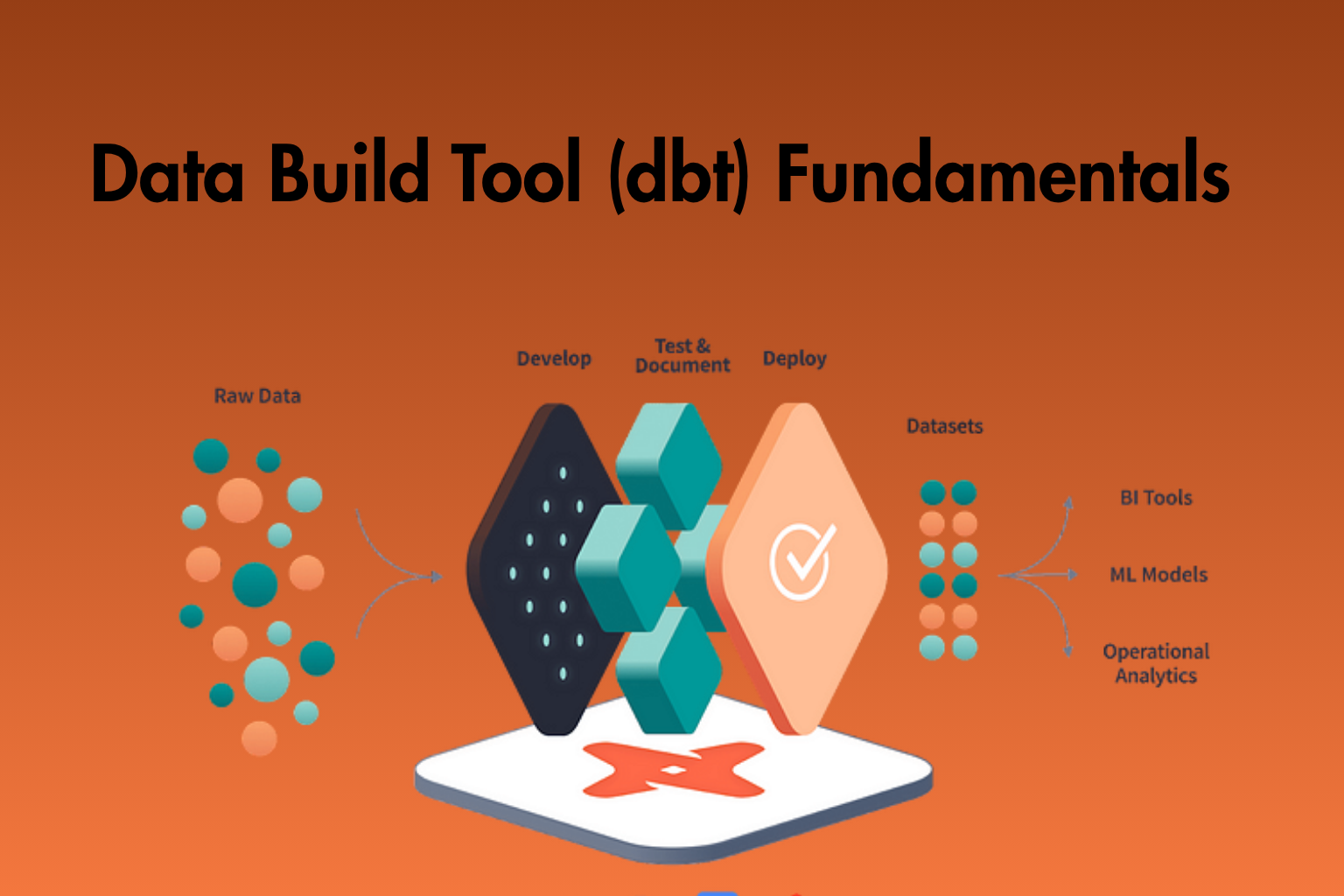
Data Build Tool (dbt) is an open-source analytics engineering tool. It helps data analysts and engineers transform data inside a data warehouse using SQL and Python. Additionally, it focuses on converting raw data into clean and reliable datasets. It uses modular and reusable models, so teams can work more efficiently. Moreover, dbt supports version control, testing, and documentation. As a result, teams can manage data workflows more effectively. Furthermore, it integrates with modern cloud platforms like Snowflake, BigQuery, and Redshift. Therefore, dbt is a key part of the modern data stack.
Learner Prerequisites
- Basic understanding of SQL (SELECT, JOIN, GROUP BY)
- Familiarity with relational databases and tables
- Understanding of data warehousing concepts
- Basic knowledge of command-line interface (CLI)
- Awareness of data transformation concepts (ETL/ELT)
- Exposure to version control tools like Git (preferred)
- Basic understanding of any cloud data platform (optional)
Table of Contents
1. Introduction to dbt Fundamentals
1.1 Overview of dbt and Analytics Engineering
1.2 Key Features and Benefits of dbt
1.3 dbt Architecture and Workflow
1.4 dbt Core vs dbt Cloud
1.5 Setting Up dbt Environment
2. dbt Project Setup and Configuration
2.1 Installing dbt and Dependencies
2.2 Initializing a dbt Project
2.3 Understanding dbt Project Structure
2.4 Profiles.yml and Connection Setup
2.5 Managing Environments in dbt
3. Data Modeling with dbt
3.1 Introduction to dbt Models
3.2 Writing SQL Models in dbt
3.3 Materializations (Table, View, Incremental)
3.4 Model Dependencies and DAG
3.5 Ref and Source Functions
4. Working with Sources and Seeds
4.1 Defining and Managing Sources
4.2 Source Freshness and Testing
4.3 Using Seeds for Static Data
4.4 Loading CSV Files as Seeds
4.5 Best Practices for Source Management
5. Testing and Data Quality in dbt
5.1 Introduction to dbt Tests
5.2 Schema Tests vs Data Tests
5.3 Writing Custom Tests
5.4 Handling Test Failures
5.5 Ensuring Data Quality Best Practices
6. Documentation and Collaboration
6.1 Generating dbt Documentation
6.2 Documenting Models and Columns
6.3 Using dbt Docs UI
6.4 Collaboration with Version Control (Git)
6.5 Code Review and Team Workflows
7. Macros, Jinja, and Reusability
7.1 Introduction to Jinja Templating
7.2 Writing and Using Macros
7.3 Variables and Configurations
7.4 Reusable Code Patterns
7.5 Debugging Macros
8. Snapshots and Slowly Changing Dimensions
8.1 Introduction to Snapshots
8.2 Implementing SCD Type 2
8.3 Snapshot Strategies
8.4 Managing Historical Data
8.5 Best Practices for Snapshots
9. dbt Deployment and Orchestration
9.1 Running dbt Models (dbt run, test, build)
9.2 Scheduling Jobs in dbt Cloud
9.3 Integration with Orchestration Tools
9.4 CI/CD for dbt Projects
9.5 Monitoring and Logging
10. Performance Optimization and Best Practices
10.1 Optimizing dbt Models
10.2 Efficient Use of Materializations
10.3 Managing Large Data Volumes
10.4 Debugging and Troubleshooting
10.5 dbt Project Best Practices
Conclusion
This training provides a strong foundation in dbt fundamentals. It helps learners build, test, and maintain scalable data pipelines. In addition, it promotes best practices in analytics engineering. Therefore, teams can deliver reliable and high-quality data solutions.


Reviews
There are no reviews yet.